
YooPKR Game Download 2026
Today
12mb
v1.67
Android
1000
Description
Choosing an APK for an Android device requires more than checking its download link. Users also need to understand the app, review its features, and confirm whether the offered version is compatible with their phones. This guide covers YooPKR and explains the key checks to consider before downloading or using the app in Pakistan.
App information can change between releases and regions. Therefore, users should compare third-party descriptions with the current application and, where available, official information. This guide covers the YooPKR APK, Android installation, account registration, gaming sections, payment information, and basic security considerations. Check out our 8557 Game guide to discover more gaming options.
What Is YooPKR Game?
YooPKR Game is an online gaming platform designed for Android users in Pakistan. It brings different games and account options together in one app. Users can explore the available games, create an account, access their profile, and manage transactions through the app.
The platform also provides deposit options through JazzCash and Easypaisa. Users can check the available withdrawal methods and transaction details within their accounts. Its main sections include gaming activities, account management, deposits, withdrawals, and promotional offers.
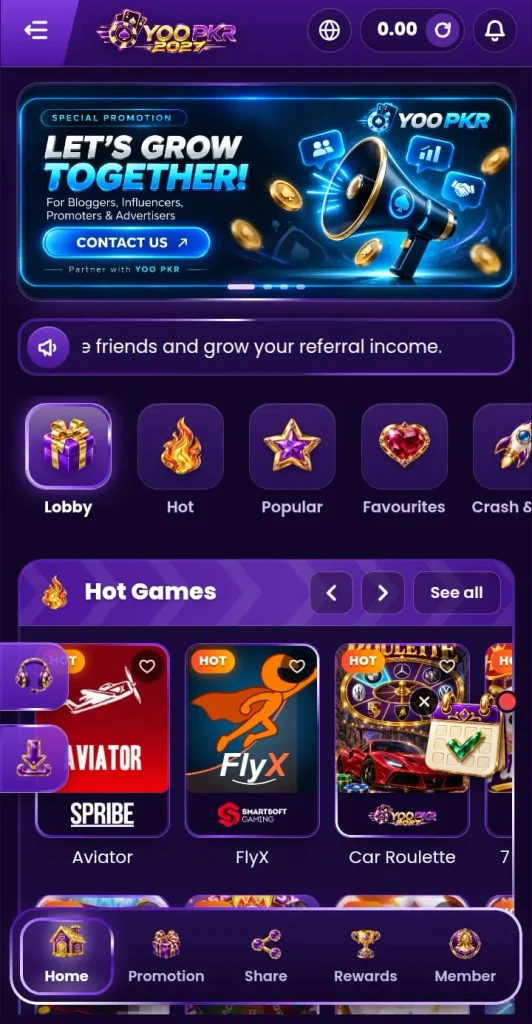
YooPKR APK Latest Version: What to Check
The term “latest version” can change whenever an application receives an update. Different websites may also show different release information, so users shouldn’t rely on the version label alone.
Before downloading YooPKR APK, review the following details:
- Version number and release information, if provided
- APK file size
- Minimum Android requirement
- Application permissions
- Package information
- Whether the file is described as original or modified
Compare these details with information from the source associated with the intended application. If important specifications are missing or inconsistent, avoid assuming that the file is the correct release.
YooPKR App Interface and Main Sections
The application’s current version is the best reference for understanding its interface. Available menus and account options may differ between releases, so users should check the installed version rather than relying on old screenshots.
Game Section
The game section lets users review the titles available in the application. Check the selection directly because game names and categories may change over time.
Do not assume that a game mentioned on an older third-party page is still available in the current version.
Account Section
If account functionality is provided, this section may contain options related to registration, login, profile information, and account management.
Use the application’s account controls and avoid entering personal information on unrelated websites with similar branding.
Transaction Section
If financial functions are available, the transaction section lets users review payment methods, applicable limits, verification requirements, and transaction records.
Check the displayed information before making any payment.
Promotional Section
Promotional offers and referral conditions can change. An offer mentioned in an older advertisement may have expired or may no longer apply.
Read the current terms and eligibility requirements before participating in any promotion.
Available Game Categories
Confirm the available game categories in the current YooPKR application. A fixed list published on another website may not represent the latest version or the options available in every region.
Open the game section and review the titles and categories displayed there. This is a more reliable way to understand the current selection than depending on outdated descriptions.
YooPKR Game APK Requirements for Android
Before downloading the APK, check whether your Android phone meets the requirements of the specific release. Compatibility can depend on the operating system, hardware, available storage, and other technical factors.
Consider these points:
- Android operating system version
- Available storage space
- RAM capacity
- Processor compatibility
- Device security settings
- Stable internet connection
Use the exact requirements from the current APK information. Do not assume a particular Android version or storage requirement without checking the release details.
How to Download YooPKR APK on Android
Follow these checks before downloading the application:
- Identify the website or source offering the APK.
- Check whether the source matches the intended application.
- Review the version number and release information.
- Compare the displayed file size and Android requirements.
- Avoid files described as modified or unlocked by unknown distributors.
- Pay attention to Android security warnings.
- When possible, scan an unfamiliar APK with reputable security software.
If the source or file information cannot be reasonably verified, reconsider downloading it.
Compatibility with Older Android Phones
Older Android devices may experience compatibility problems when an application requires a newer operating system or hardware capabilities.
If YooPKR does not install or run correctly, check your phone’s Android version, available storage, and device specifications. Also confirm that the downloaded APK is intended for your device.
Avoid installing unofficial modified packages just because the standard version doesn’t work. Checking the requirements for a specific release is a better way to identify compatibility limitations.
How to Install YooPKR on Android
After you obtain the APK, follow the installation instructions on your device.
- Locate the downloaded YooPKR APK in your phone’s download folder.
- Open the file using your file manager.
- Review the installation information Android shows.
- Check any security warning before proceeding.
- Continue only if you trust the source and file.
- Follow the on-screen installation instructions.
- After installation, open the app and review its available sections.
- Check the permissions the app requests.
Android may restrict installing apps from outside its app store. Do not ignore security warnings without understanding why they appear.
How to Register on YooPKR Game
Users can create a new YooPKR account by following the in-app registration process. Here are the steps:
- Open the YooPKR app on your Android device.
- Select Register or Sign Up.
- Enter your mobile number or other required details.
- Create a password for your account.
- Enter the verification code if requested.
- Review the entered information.
- Submit the registration form to complete the process.
- Log in using your newly created account details.
Use a unique password and never share your verification code or account credentials with anyone.
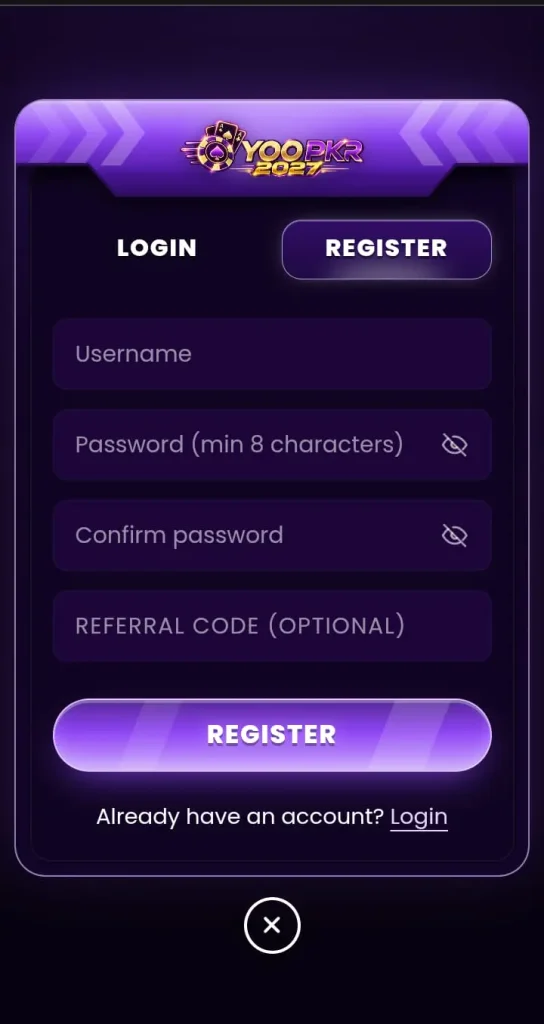
How to Log In to YooPKR
Users with an existing YooPKR account can log in through the login section. Follow these steps:
- Open the YooPKR application.
- Select the Login option from the main screen.
- Enter your registered mobile number or username.
- Type your account password.
- Complete verification if required.
- Select the Login button to access your account.
- If you cannot log in, check your details or use the available password recovery option.
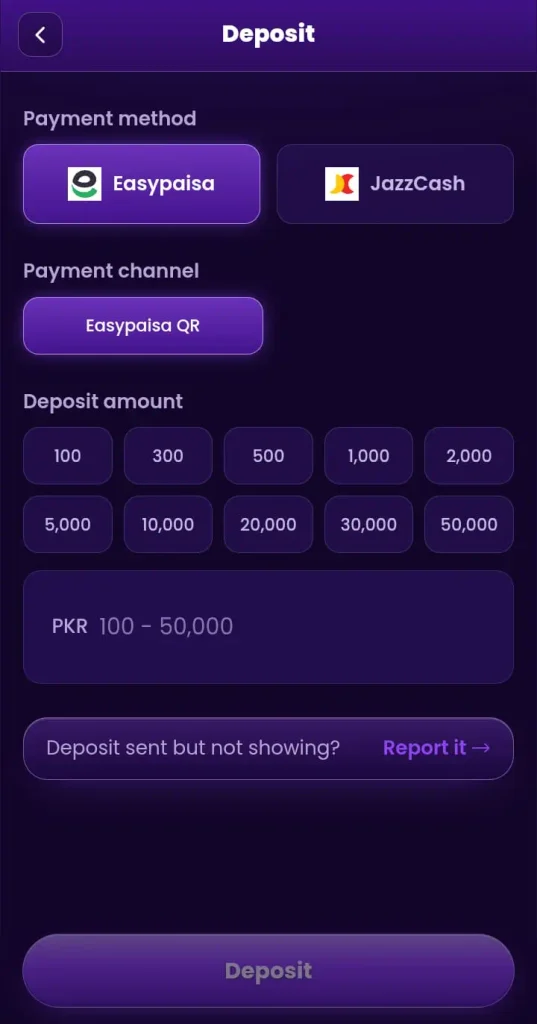
YooPKR Deposit Information
YooPKR offers JazzCash and Easypaisa as deposit options for users in Pakistan. Users can follow these steps to add funds to their account:
- Open the YooPKR app and log in.
- Go to the Deposit section.
- Select JazzCash or Easypaisa as your payment method.
- Enter the deposit amount.
- Review the displayed payment details.
- Complete the payment by following the provided instructions.
- Return to the app and check your transaction status.
YooPKR Withdrawal Information
Users can follow these steps to submit a withdrawal request through YooPKR:
- Open the app and log in to your account.
- Navigate to the Withdrawal section.
- Select an available withdrawal method.
- Enter the amount you want to withdraw.
- Provide the required account details.
- Review the withdrawal information carefully.
- Submit the request and check its status in the transaction history.
Are JazzCash and Easypaisa Available on YooPKR?
JazzCash and Easypaisa are widely used payment services in Pakistan. However, their general availability does not mean YooPKR supports them.
Check the current transaction section to see whether either service is directly listed. If a payment option appears, follow the app’s instructions and review its conditions.
Do not treat a number shared through an unrelated website, social media account, or private message as an approved payment destination.
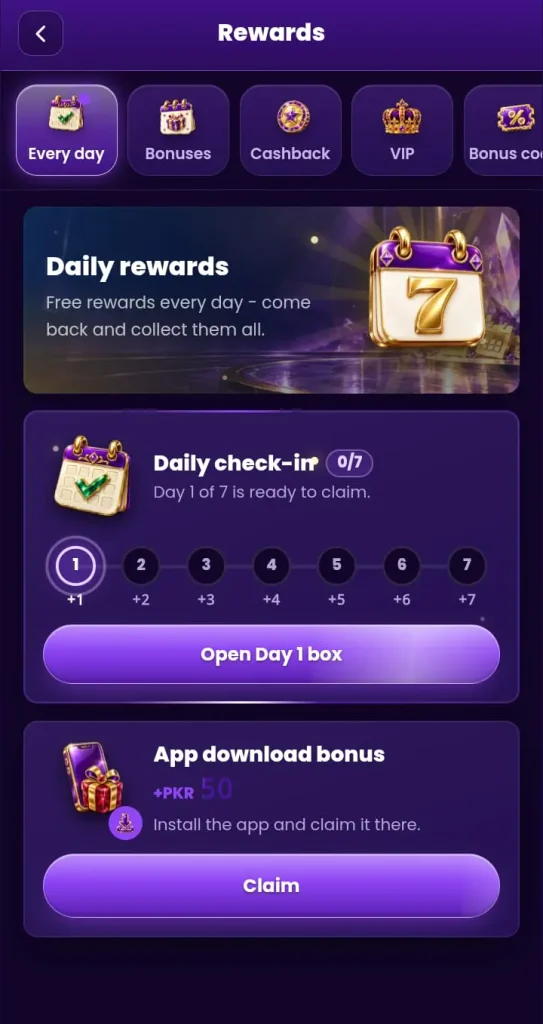
YooPKR Promotions and Offers
Promotions, bonuses, and referral offers can change over time. Information published on an older webpage may no longer apply to the current application.
Before participating in an offer, review:
- Eligibility requirements
- Expiry date
- Minimum conditions
- Restrictions
- Referral terms
- Conditions related to deposits or withdrawals
Read the complete terms rather than relying only on the advertised reward amount. Promotional claims should not be treated as guaranteed benefits.
YooPKR APK Safety and Verification
A file labeled “latest” is not automatically safe. APK files can come from different sources, and an unfamiliar package may contain changes that an ordinary user may not notice.
Before installing YooPKR APK:
- Check the website or source providing the file.
- Review its version and package information.
- Review the permissions the application requests.
- Pay attention to Android security warnings.
- When possible, scan unfamiliar files with reputable security software.
- Avoid modified APKs from unknown distributors.
- Keep your Android operating system and security features up to date.
These checks can help users make a more informed installation decision, although they cannot guarantee that an application is completely risk-free.
Common YooPKR Problems and Solutions
Why Won’t YooPKR Install?
Installation problems can result from an incompatible Android version, insufficient storage, a damaged APK, unsupported hardware, or a package issue.
First, check your device requirements and available storage. If the problem continues, verify that the downloaded file is complete and comes from a source you can reasonably trust.
Can Every Android Phone Run YooPKR?
No. Compatibility depends on the requirements of the particular release and the phone’s software and hardware.
An older device may have installation or performance issues even if the same app works on a newer phone.
Why Is YooPKR Running Slowly?
Slow performance can be due to limited device resources, insufficient storage, background apps, network conditions, or the specific release you’re using.
Check your available storage, close unnecessary apps, and test your internet connection before assuming the app itself is defective.
How Much Storage Does YooPKR Need?
The required storage depends on the APK size and any additional data downloaded after installation. Check the specific release information, and keep extra free space for normal operation and updates.
How Long Does YooPKR APK Take to Download?
There is no universal download time. It depends on the file size, internet speed, network stability, and the download source’s performance.
Should I Install a Modified YooPKR APK?
Avoid modified packages from unknown distributors. An altered APK may change how the app behaves or what permissions it requests in ways that are hard to verify.
If the standard package isn’t compatible with your phone, check the official requirements instead of relying on an unofficial modified version.
Pros and Cons of YooPKR
| Pros | Cons |
| Android-based access | APK source verification is necessary |
| Gaming sections can be accessed through one application | Available content may change |
| Account-related functions may be available | Older phones may face compatibility issues |
| Mobile access can be convenient | Payment and promotional conditions need checking |
Frequently Asked Questions
What Is YooPKR Game?
YooPKR is the application name covered in this guide. Users should review its current version to understand the available gaming sections and account functions.
How Can I Download YooPKR APK?
Choose a source you can reasonably verify, check the APK information and Android requirements, and follow the installation instructions on your device.
Can I Use YooPKR on an Older Android Phone?
It depends on the specific release’s requirements. Older devices may face limitations related to Android version, storage, hardware, or performance.
Does YooPKR support JazzCash and Easypaisa?
Confirm their availability in the current application’s transaction section. Do not assume that either service is supported based only on third-party descriptions.
Is the Latest YooPKR APK Automatically Safe?
No. The latest label only describes a version. Users should still check the source, package information, permissions, and security warnings.
Should I Trust Guaranteed Reward Claims?
No. Review the conditions attached to promotional offers, and don’t treat third-party promises or advertised rewards as guaranteed results.
Final Thoughts
YooPKR users should look beyond the latest-version label when considering an APK download. Before installing, review the source, release information, Android compatibility, requested permissions, and available app functions.
After opening the application, review its current gaming sections, account options, promotional conditions, and transaction information. Consider JazzCash and Easypaisa, and note that deposits and withdrawals are available only when the platform directly confirms them.
These steps can help users decide whether the app and its features meet their needs.